Wan 3.0, Alibaba's newest AI video model, is now live on Wan Studio. It turns a single prompt into a scene of up to 30 seconds at 1080p, with music, sound effects and lip-synced dialogue generated in the same pass. It's the default model for every paid plan, at no extra cost, and there's nothing to install or join.
Here's what's new, how it compares with Wan 2.7 and Wan 2.5, and how to make your first Wan 3.0 video today.
Wan 3.0 Is Here
Alibaba's Tongyi Lab opened Wan 3.0 as a public beta in early August 2026 and launched it fully on 24 August. It's the successor to Wan 2.7, which shipped in April. New to the family? Start with what Wan is.
On Wan Studio, Wan 3.0 is already selected when you open the prompt box. There's no waitlist, no invite code and no new plan. Wan 2.7 and Wan 2.5 stay in the model menu, so anything you built on them still works the same way.
What's New in Wan 3.0
Wan 3.0 is built for whole scenes rather than single moments. Five changes stand out:
- 30-second clips. Generations run from 2 to 30 seconds, double Wan 2.7's 15. That's enough for a full ad, a verse of a song, or a short story with a setup and a punchline.
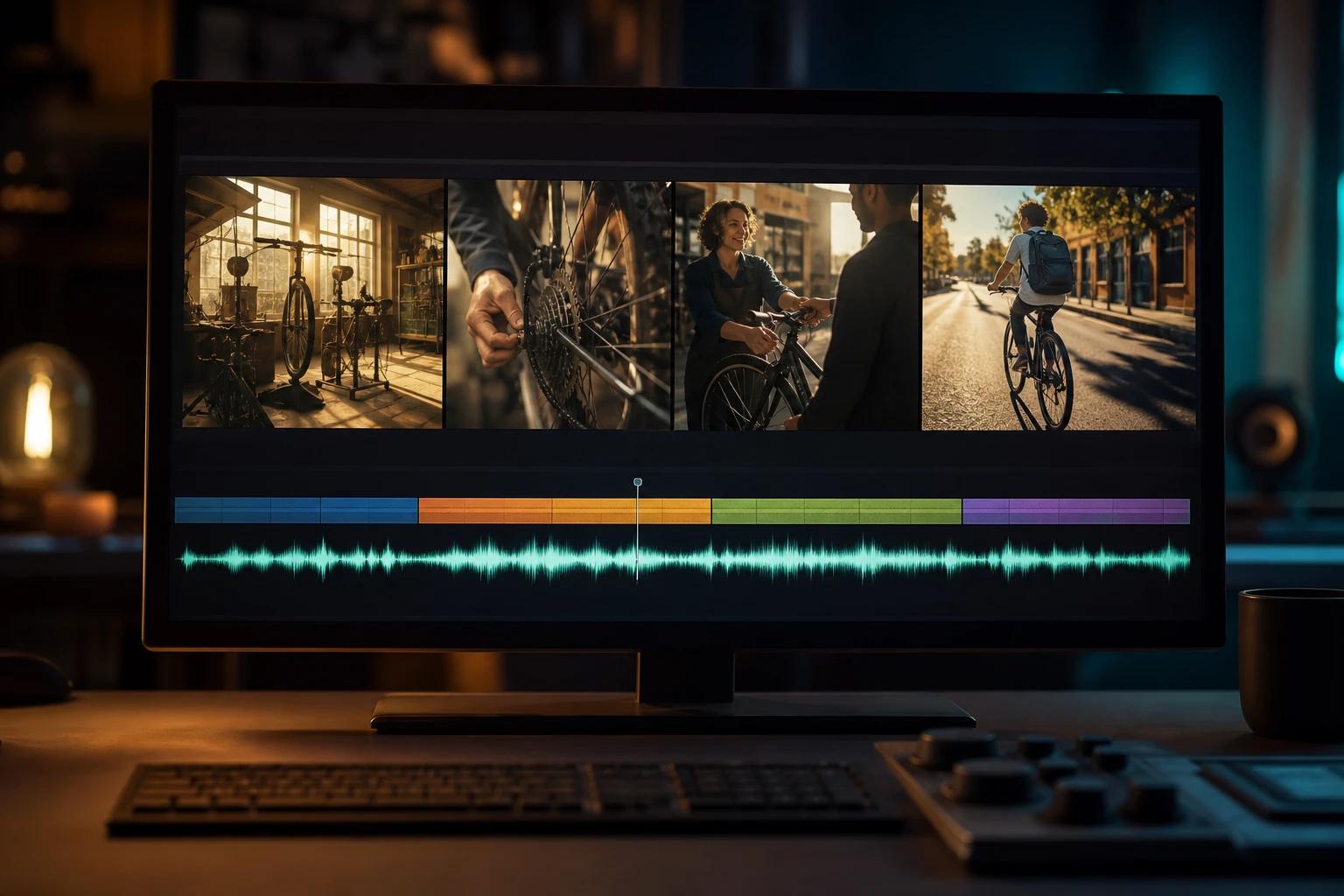
- Multi-shot scenes in one generation. Describe several shots with time ranges and Wan 3.0 cuts between them while keeping the same characters, props and setting.
- Adaptive framing. Set the aspect ratio to Auto and the model picks the composition that suits your prompt. Or lock 16:9, 9:16, 1:1, 4:3 or 3:4 for the platform you're posting to.
- Sound that matches the picture. Score, ambience and dialogue are generated with the video and synced to the action. Put a line in quotes and your character says it, with matching lip movement.
- Steadier characters and motion. Alibaba says faces, hairstyles, clothing and spatial layout now hold across shots, with more natural micro-expressions and physics.
Wan 3.0 vs Wan 2.7 vs Wan 2.5
All three models are in the Wan Studio menu. Here's how they compare:
| Feature | Wan 3.0 | Wan 2.7 | Wan 2.5 |
|---|---|---|---|
| Clip length | 2 to 30 s | 2 to 15 s | 5 or 10 s |
| Resolution | 480p, 720p, 1080p | 720p, 1080p | 480p, 720p, 1080p |
| Framing | Auto or fixed ratio | Fixed ratio | Fixed ratio |
| Starts from | Text or a first frame | Text, first and last frame, reference images, clips and audio | Text or a first frame |
| Video edit mode | No | Yes | No |
| Native sound and dialogue | Yes | Yes | Yes |
| Plans | Paid plans | Paid plans | Free and paid plans |
In short: pick Wan 3.0 for anything long or story-shaped, Wan 2.7 when you need to reuse a character or edit an existing clip, and Wan 2.5 for quick, cheap drafts. For a closer look, see the Wan 3.0 and Wan 2.7 model pages.
Alibaba's own version of Wan 3.0 can also read documents such as PDFs and slide decks and extend existing clips. On Wan Studio today, Wan 3.0 works from a text prompt or a first frame.
How to Try Wan 3.0 on Wan Studio
Your first Wan 3.0 video takes a couple of minutes to set up. It runs in the browser, so it works on a laptop or a phone.
- Sign in. Go to trywan.ai and create an account or sign in. Wan 3.0 needs a paid plan, from $14 a month.
- Check the model. Open the prompt box and choose Video. Wan 3.0 is selected by default.
- Write the scene. Describe who's on screen, where, what happens, how the camera moves, the light and what we hear. For anything over about 10 seconds, break it into numbered shots with time ranges.
- Add a first frame (optional). Drop in a photo if you want the video to start from a specific image, such as a product shot or a portrait.
- Set length, framing and resolution. Pick a duration up to 30 seconds. Choose Auto framing or lock a ratio, then pick 480p, 720p or 1080p.
- Generate and review. Watch the clip with sound on, then download the MP4. It's also saved in your media gallery.
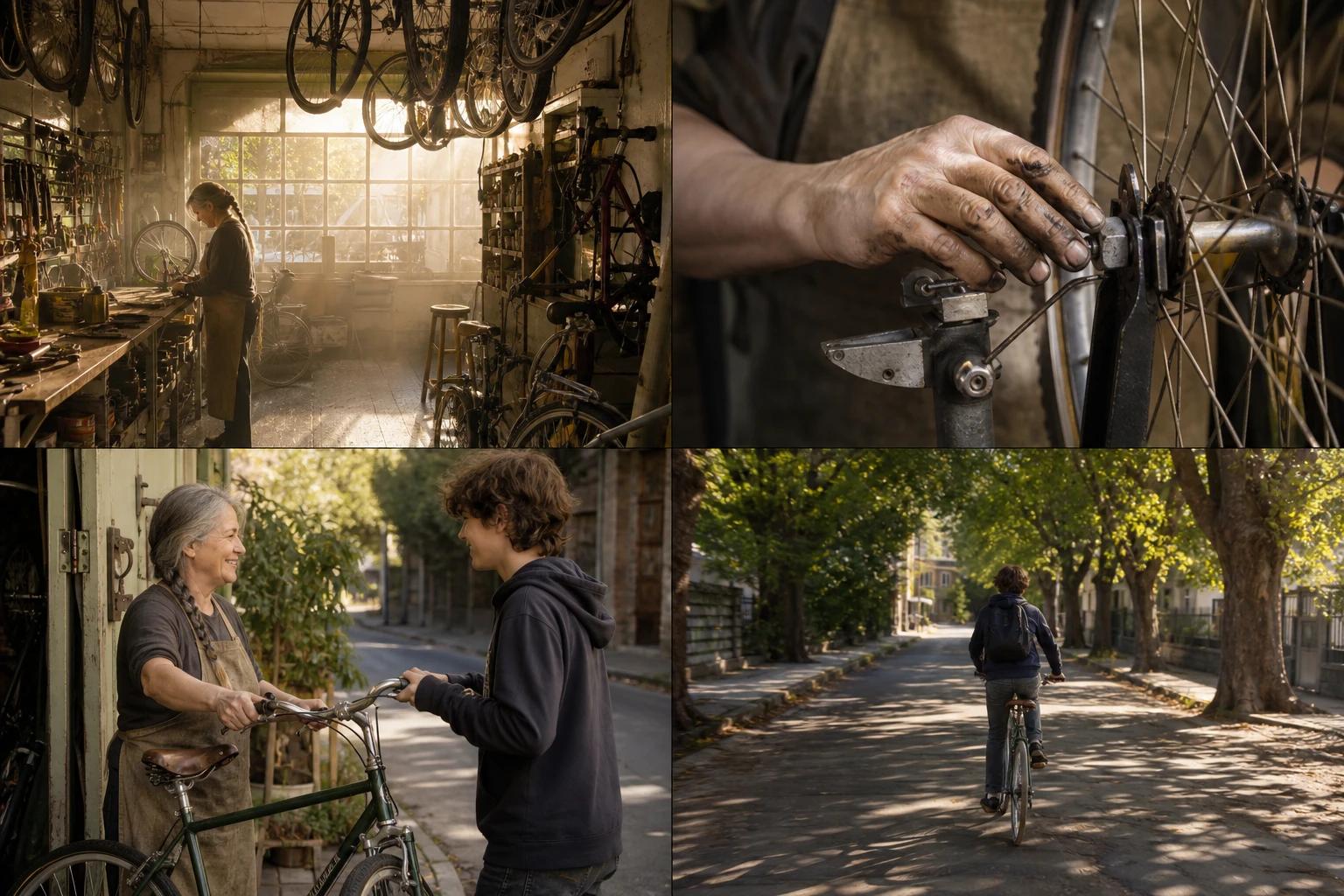
Here's a 24-second prompt you can paste in and adapt:
Want more step-by-step detail? Our guide on how to use Wan covers every workflow, from image-to-video to editing.
Who Gets Wan 3.0, and What It Costs
Wan 3.0 is the default model on every paid Wan Studio plan, with no surcharge and no new tier. Paid plans start at $14 a month for 2,800 credits on the Creator plan, and every paid plan includes a commercial licence. If you'd rather not subscribe, one-time credit packs never expire. Compare plans on the pricing page.
Credits scale with length and resolution, so a 30-second 1080p scene costs more than a 5-second draft. The free plan stays as it was: up to two Wan 2.5 videos a month at 480p, with no card needed. It's a good way to learn how Wan reads a prompt before you upgrade. See what's included in Wan free.
Developers can call Wan 3.0 from their own code through the Wan API, billed per second of video from the same plan credits.
When to stick with Wan 2.7
Wan 3.0 doesn't replace Wan 2.7 on Wan Studio. Switch to Wan 2.7 in the model menu when you need to:
- Keep the same character, product or location across several videos with reference images, clips or audio
- Edit an existing clip, such as changing an outfit, the weather or the style
- Pin both the first and the last frame for a loop or a precise transition
Tips for Getting the Most Out of 30 Seconds
A longer clip gives the model more room to drift, so structure matters more than it did with 5- and 10-second clips:
- Open with one line about the whole scene. State the story, the style and the mood before the first shot, so every shot shares them.
- Keep each shot to 2 to 5 seconds. Alibaba's own Wan 3.0 guide recommends this. Number the shots and give each a time range that starts where the last one ended.
- Describe your main character the same way every time. Repeat two or three distinctive details, such as "the woman with the gray braid", rather than switching to "she" or a new description.
- Give each line of dialogue its own shot. Short lines tied to a visible action sync best. Long speeches drift.
- Plan the sound, or switch it off. Name the music and key sound effects, or write "No background music." if you want only ambient sound.
- Draft short, then go long. Test the idea at 10 seconds and 480p, then run the version you like at 30 seconds and 1080p.
Wan 3.0 still has limits. On-screen text can come out garbled, so add exact titles and captions in your editor. Alibaba also notes that audio texture is still improving, so listen closely to dialogue before you publish. For formulas and 20 copy-ready examples, see our Wan prompt guide.
Frequently Asked Questions
When was Wan 3.0 released?
Alibaba opened Wan 3.0 as a public beta in early August 2026 and launched it fully on 24 August 2026. It's live on Wan Studio now for every paid plan.
Is Wan 3.0 free?
Wan 3.0 needs a paid Wan Studio plan, from $14 a month, at no extra cost on top of the plan. The free plan includes up to two Wan 2.5 videos a month at 480p, with no card required.
Is Wan 3.0 open source?
No. Unlike Wan 2.1 and Wan 2.2, Alibaba didn't release Wan 3.0's weights at launch. You use it through hosted apps such as Wan Studio, or through an API.
How long can a Wan 3.0 video be?
Up to 30 seconds per generation, at up to 1080p. That's twice Wan 2.7's limit of 15 seconds. To compare it with other tools, see our roundup of the best AI video generators for 30 seconds.
Can I use reference images with Wan 3.0?
On Wan Studio, Wan 3.0 starts from a text prompt or a single first frame. For reference images, clips or audio, and for video editing, switch to Wan 2.7 in the model menu.
Can I still use Wan 2.7 and Wan 2.5?
Yes. Both stay in the model menu and work exactly as before. Wan 3.0 is simply the new default.
Can I use Wan 3.0 videos commercially?
Yes. Every paid Wan Studio plan includes a commercial licence. Make sure you have the rights to any faces, logos or music you feed in.
Start Creating With Wan 3.0
Wan 3.0 is a big step for the Wan family: whole scenes instead of single shots, sound that fits the picture, and framing the model can choose for you. The best way to see the difference is to try it. Open Wan Studio, paste the bike shop prompt above, and swap in your own idea.