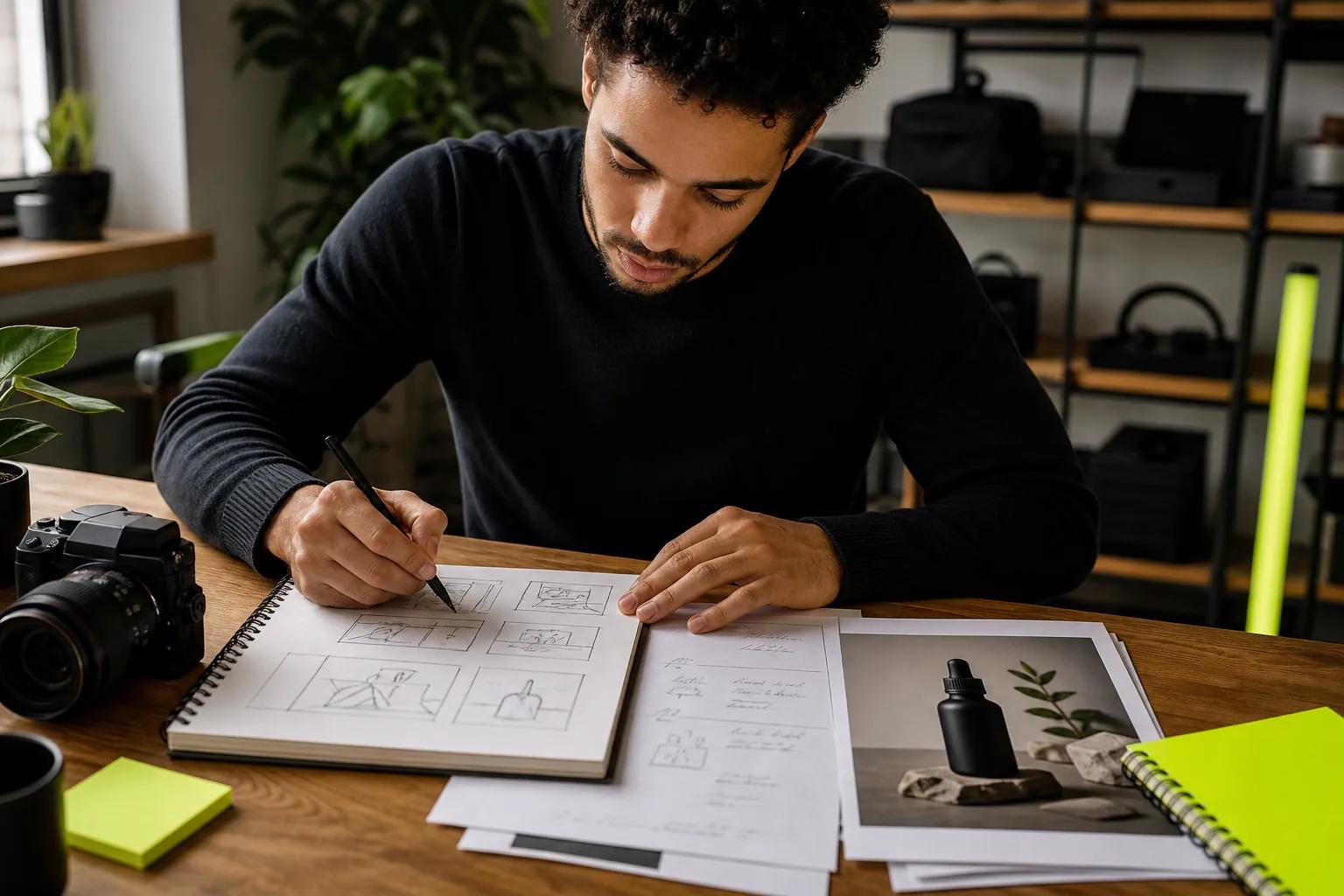
The best Wan prompts read like a director's shot description: who is on screen, where they are, what happens, how the camera moves, how it's lit, what style it's in and what we hear. Wan fills in anything you leave out, so the more of those layers you name, the closer the video lands to what you pictured.
This guide gives you the prompt formulas Alibaba recommends for Wan, the camera, light and sound vocabulary that works, how to use negative prompts, and 20 copy-ready Wan prompts you can adapt.
How Wan Reads a Prompt
Wan treats your prompt as a set of layers to fill: subject, action, setting, camera, style and audio. Whatever you name, it follows. Whatever you skip, it chooses for itself based on what seems natural for the scene. That's why a vague prompt like "a dog in a park" gives you a random camera, random light and maybe random music.
Three habits make prompts land more predictably:
- Keep the categories in order. Subject and setting first, then action, then camera, then sound. A run-on sentence that mixes them is harder for the model to parse.
- Use concrete words. "Slowly turns her head toward the window" beats "looks around."
- Describe what you want, not what you don't. Put exclusions in a short negative list at the end.
Wan Prompt Formulas
Alibaba's official Wan prompt guide builds every prompt from a few formulas. Here they are in plain terms, with when to use each:
| Formula | Structure | Use it for |
|---|---|---|
| Basic | Subject + scene + motion | Quick ideas and tests |
| Full | Subject + scene + motion + camera and light + style + sound | Anything you plan to publish |
| Image-to-video | Motion + camera (+ sound) | When a photo already sets the look |
| Multi-shot | Overall description + numbered shots with timestamps | Stories on Wan 3.0, 2.7 and 2.6 |
| Reference | Tagged reference + action + scene + lines + music | Reusing characters or products on Wan 2.7 |
| Edit | Change X to Y + keep everything else unchanged | Wan 2.7 edit mode |
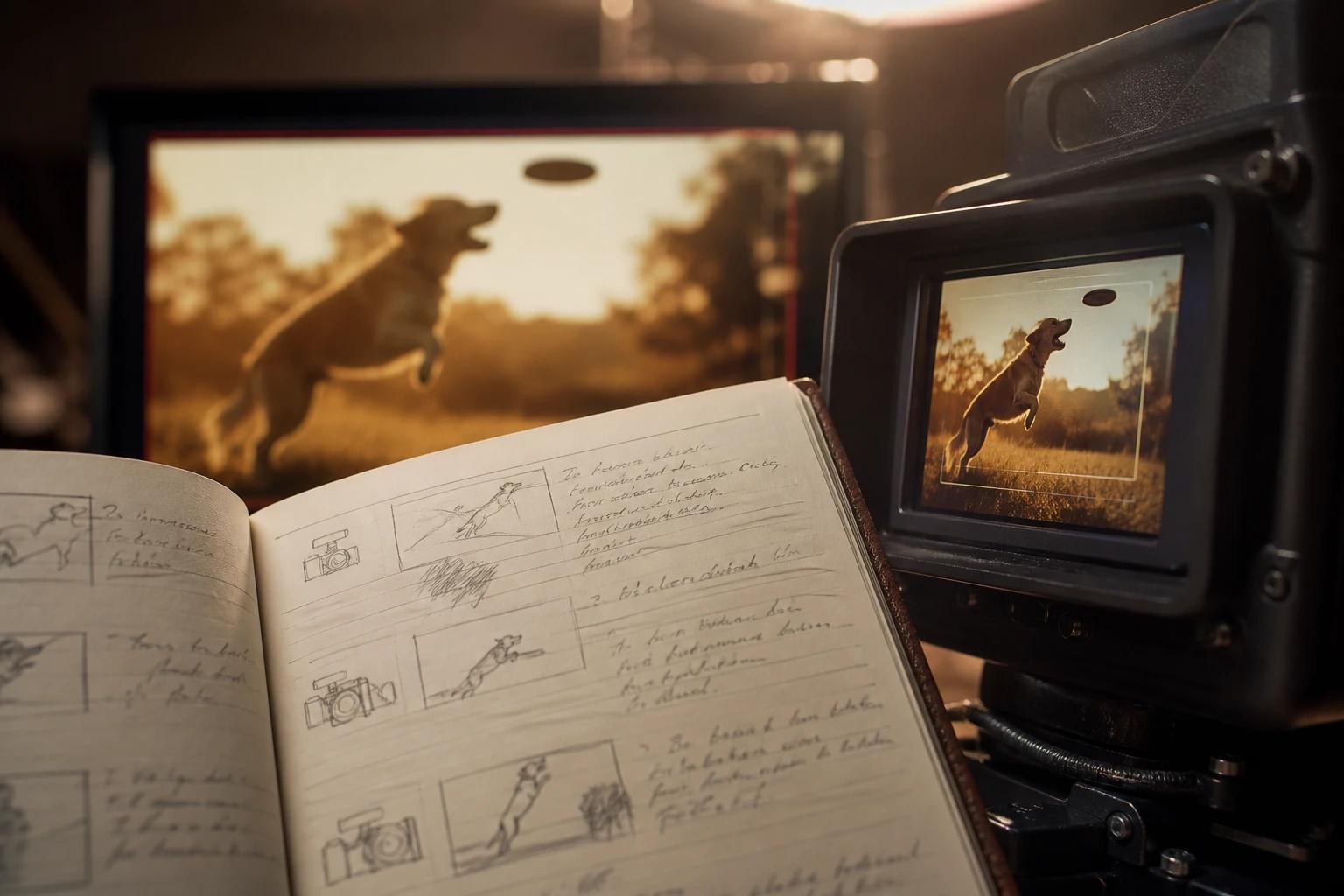
Here's the same idea written with the basic formula, then the full one:
The Building Blocks of a Wan Prompt
Each layer of the full formula has its own vocabulary. Learn a handful of terms per layer and your prompts get sharper fast.
Subject and scene
Describe the subject with two or three visible details: age, clothing, color, texture. "A woman in her 60s with silver hair and a green raincoat" gives Wan far more to hold onto than "a woman." Do the same for the setting, and add a foreground or background detail to create depth.
Motion
Motion is where most weak prompts fail. Name the action, its speed and its size: "slowly lifts the cup," "spins quickly," "hair whips in strong wind." Keep to one main action per shot, and avoid rapid repeated actions like "nods five times," which the model can't count reliably.
Camera
Every camera choice carries a feeling. Use these terms on their own or combine two:
| Term | What it shows | Feeling it creates |
|---|---|---|
| Close-up / extreme close-up | A face, hands or a small detail | Emotion, intimacy |
| Medium shot | Waist up | Conversation, everyday action |
| Wide or establishing shot | The whole location | Place, scale |
| Low angle | Looking up at the subject | Power, heroism |
| High angle or top-down | Looking down | Vulnerability, overview |
| Push in (dolly in) | Camera moves toward the subject | Tension, focus |
| Pull out | Camera moves away to reveal more | Surprise, isolation |
| Tracking shot | Camera follows the subject | Momentum, immersion |
| Orbit | Camera circles the subject | Importance, spectacle |
| Handheld | Slight natural shake | Urgency, realism |
| Drone or aerial | High, sweeping view | Scale, travel |
| Fixed camera | No camera movement | Stillness, observation |
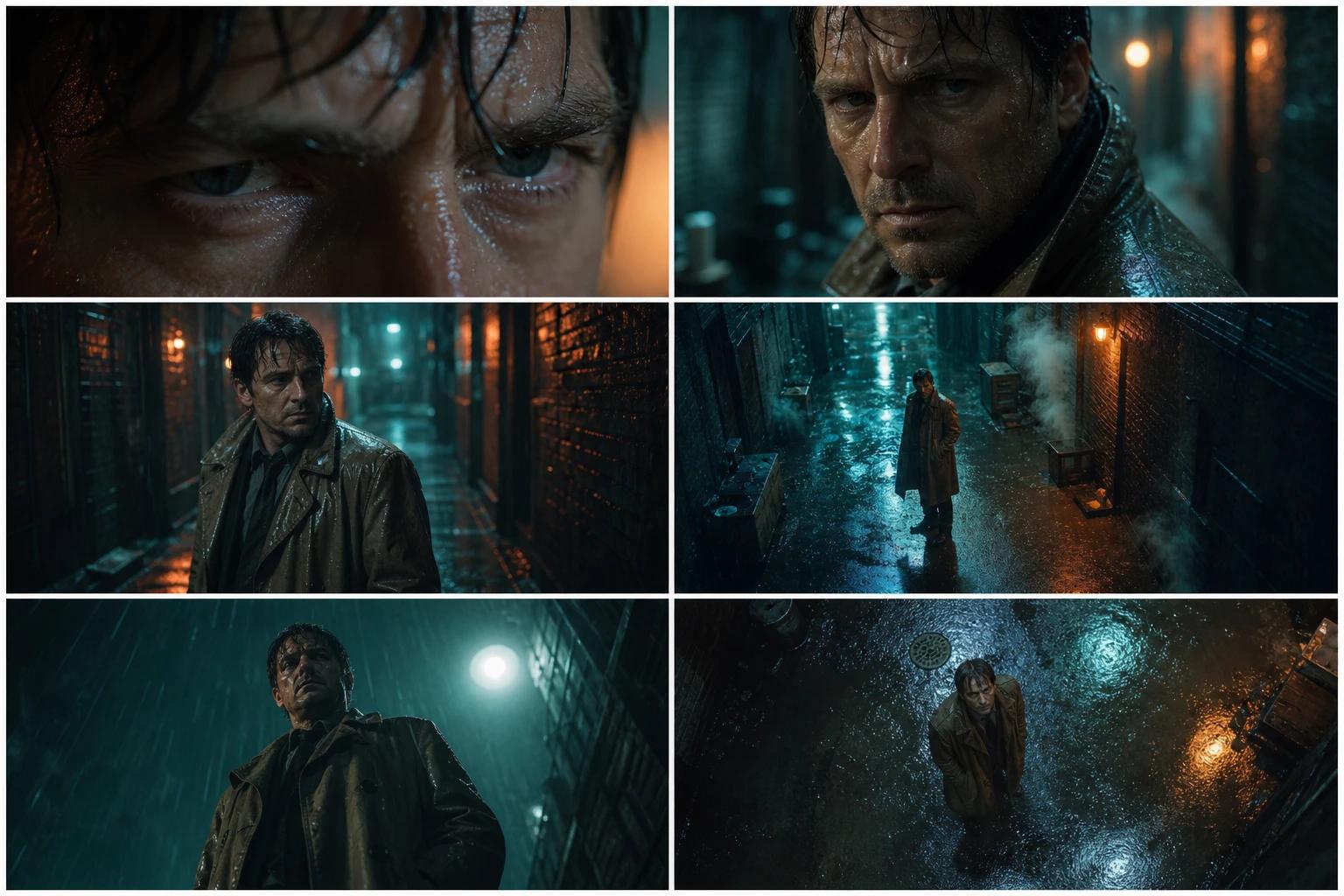
Lens terms help too: "24mm wide-angle" for big spaces, "50mm" for a natural look, "85mm telephoto, shallow depth of field" for portraits with a soft background. Add "slow motion" or "time-lapse" to change how time feels.
Light and time of day
Light sets the mood more than any other word. Useful terms include golden hour, soft window light, hard midday sun, overcast, neon, candlelight or firelight, moonlight, rim light (a glowing outline from behind) and low-key high-contrast for drama. Add a color direction such as "warm tones" or "cool blue palette."
Style
Name a look in a few words and Wan follows it: cinematic 35mm film, documentary handheld, anime, 3D cartoon, claymation, felt stop-motion, pixel art, watercolor, black-and-white, 1990s VHS, tilt-shift miniature. Style works best stated once, at the start or end of the prompt.
Sound and dialogue
On Wan 2.5 and later, sound is part of the prompt. Cover three kinds:
- Voice: who speaks, the quoted line, and how. "She whispers, nervous and fast, 'They're already here.'" Add accent or tone if it matters.
- Sound effects: the source, the action and the space. "Boots crunch on gravel in a quiet canyon." Clearly described actions often get matching sounds automatically.
- Music: a style and mood, such as "slow cello score" or "upbeat funk with a strong bassline."
For two or more speakers, give each a distinct label and voice, put an action right before each line, and link lines in order with words like "then" or "immediately." Without that, Wan can merge speakers or give a line to the wrong person.
To switch sound off, say so: "No dialogue." stops invented speech, and "No background music." leaves only ambient and action sounds.
How to Write Wan Image-to-Video Prompts
When you upload a first frame, the image already decides the subject, setting and style. Your prompt's job is motion and camera. Re-describing the photo wastes words and can pull the video away from it.
Write what moves, how fast, and what the camera does: "Steam curls up from the bowl, chopsticks lift a strand of noodles, camera pushes in slowly." With a first and last frame on Wan 2.7, describe the journey between them: "The cherry tree goes from bare branches to full bloom as the camera holds still."
How to Write Multi-Shot Prompts
Wan 3.0, 2.7 and 2.6 can cut between shots inside one clip. Start with one line that sets the theme and mood, then number each shot and give it a time range. Each shot should connect to the next without gaps, and Alibaba's Wan 3.0 guide recommends about 2 to 5 seconds per shot.
Shot 1 [0-4s] ... Shot 2 [4-8s] ... Shot 3 [8-12s] ...
End a shot with "hard cut" or "dissolve" to control the transition. If you want a single unbroken take, write "Generate single shot." or "One continuous shot" at the start.
How to Write Reference Prompts
On Wan 2.7, each file you attach becomes a tag you insert by typing @, such as @[image1] or @[video1]. Give each tag one job in the sentence so features don't bleed between subjects: "@[image1] sits at the café table in @[image2], drinking from the mug in @[image3]." Use the same tag again whenever that subject acts or speaks.
How to Write Edit Prompts
In Wan 2.7 edit mode, start with a verb (add, remove, replace, change) and name one change at a time. Finish with "keep everything else unchanged" so the motion, faces and background stay put. Global edits work too: weather, time of day, color grade or a whole new style.
Wan Negative Prompts
A negative prompt lists what you don't want in the video. How you add one depends on where you run Wan:
- Local Wan 2.1 and 2.2 (ComfyUI, Diffusers): there's a separate negative prompt field. The official workflows ship with a default list you can start from.
- Alibaba's API: a negative prompt parameter sits next to the main prompt.
- Wan 3.0 and apps with one prompt box, like Wan Studio: add a short line at the end, such as "Avoid: subtitles, watermarks, extra fingers, shaky camera."
Keep negative lists short and specific. Don't repeat what your positive prompt already says, and don't paste a 40-item list "just in case," which dilutes the terms that matter. Common, useful negatives by category:
| Category | Useful negatives |
|---|---|
| Faces and bodies | distorted face, face changing, extra fingers, twisted limbs |
| Text | subtitles, captions, watermark, logos, random text |
| Camera | shaky camera, sudden cuts, excessive camera movement |
| Style | cartoon look (for realism), photorealism (for animation), plastic CG look |
| Sound | background music, voiceover, dialogue |
| Consistency | costume changes, character swaps, objects appearing or vanishing |
20 Wan Prompt Examples You Can Copy
Each example below names the model and settings it suits. Keep the structure, swap in your own subject, and change one detail at a time as you iterate.
1. Product ad from a photo
Upload your product shot as the first frame, then describe only the motion.
Settings: Wan 3.0 or 2.7, image-to-video, 9:16, 6 seconds.
2. Sneaker launch
Settings: Wan 3.0, text-to-video, 16:9 or 9:16, 6 seconds.
3. UGC-style testimonial
Settings: Wan 3.0 or 2.5, 9:16, 8 seconds.
4. Cinematic drama
Settings: Wan 3.0, 16:9, 8 seconds.
5. Action shot
Settings: Wan 3.0, 16:9, 6 seconds.
6. Music video
Settings: Wan 3.0, 9:16, 10 seconds.
7. Anime scene
Settings: Wan 3.0, 16:9, 8 seconds.
8. Claymation character
Settings: Wan 2.5 or 3.0, 1:1, 8 seconds.
9. Food close-up
Settings: Wan 2.5 or 3.0, 1:1 or 4:3, 5 seconds.
10. ASMR
Settings: Wan 2.5, 1:1, 5 seconds.
11. Travel drone shot
Settings: Wan 3.0, 16:9, 10 seconds.
12. Real estate walkthrough
Settings: Wan 3.0, 16:9, 10 seconds. Or upload a listing photo as the first frame.
13. Wildlife moment
Settings: Wan 3.0, 16:9, 8 seconds.
14. Educational explainer
Settings: Wan 3.0, 16:9, 15 seconds.
15. Funny pet clip
Settings: Wan 3.0 or 2.5, 9:16, 6 seconds.
16. Talking portrait
Upload a clear, front-facing portrait as the first frame. For more tips, see how to make a picture talk.
Settings: Wan 3.0, image-to-video, 9:16, 6 seconds.
17. 30-second multi-shot story
Settings: Wan 3.0, 16:9, 30 seconds.
18. Reference character
Attach a photo of your character, a photo of the location and a photo of the outfit, then tag them with @.
Settings: Wan 2.7, reference inputs, 9:16, 8 seconds.
19. Video edit
Upload the base clip in edit mode.
Settings: Wan 2.7, edit mode, same aspect ratio as the source.
20. Seamless loop
Use the same image as both the first and last frame.
Settings: Wan 2.7, first and last frame, 16:9, 8 seconds.
How Prompts Differ Between Wan Models
The same core formula works across the family, but each model rewards a slightly different prompt:
| Model | Prompt shape | Include | Keep in mind |
|---|---|---|---|
| Wan 2.1 and 2.2 (open source) | One to three sentences | Subject, motion, camera, style; a separate negative prompt | Silent, about 5 seconds, one action |
| Wan 2.5 | A short paragraph | One moment, sound and at most a line or two of dialogue | 5 or 10 seconds |
| Wan 2.6 and 2.7 | A paragraph or a short shot list | Timestamps, @ reference tags, edit instructions | Up to 15 seconds |
| Wan 3.0 | A structured paragraph | Overall description, timed shots, dialogue, music, style, a short negative list | Up to 30 seconds, a few seconds per shot |
A prompt that worked on Wan 2.2 will still work on Wan 3.0. You'll just get more out of 3.0 by adding sound, dialogue and shot structure.
Common Wan Prompt Mistakes
| Mistake | What happens | Better |
|---|---|---|
| Naming the subject but no action | A near-still clip | Add a verb, a speed and a camera move |
| Stacking several actions in one shot | Muddled, rushed motion | One main action per shot; split the rest into shots |
| Re-describing the uploaded image | The video drifts from your photo | Describe only motion and camera |
| Leaving sound unspecified | Random music or invented speech | Name the music, or write "No background music." |
| Long speeches | Lip sync drifts | One or two short lines per speaker |
| Asking for exact on-screen text | Garbled letters | Add text in your editor |
| A huge negative list | Weaker, muddier results | Five or six specific exclusions |
| Real celebrities or brand characters | Blocked or inconsistent output | Original characters and your own brand assets |
Use an AI Assistant as a Wan Prompt Generator
Alibaba itself suggests turning its prompt formula into instructions for a chat model. You can do the same with any AI assistant: paste the template below, add your idea, and edit the result before you generate.
Wan Prompt Checklist
Before you hit generate, check that your prompt has:
- A subject with two or three visible details
- A setting with some depth
- One clear action per shot, with a speed
- A shot size and a camera move (or "fixed camera")
- A light source and a color direction
- One style, stated once
- Dialogue in quotes, tied to a speaker
- Music and sound effects named, or switched off
- A short negative list, if anything keeps going wrong
Frequently Asked Questions
What is the best prompt format for Wan?
Subject, scene, motion, camera and light, style, then sound. For clips over about 10 seconds on Wan 3.0, add an overall description and numbered shots with timestamps. For image-to-video, describe only motion and camera.
How long should a Wan prompt be?
For a single shot, 40 to 120 words is a good range: long enough to set the camera, light and sound, short enough to stay focused. Multi-shot prompts for 30-second Wan 3.0 clips can run longer, since each shot needs its own line.
Do Wan prompts have to be in English?
No. Wan understands both English and Chinese prompts, and English works well. Dialogue can be in other languages, but test a short line first and check the pronunciation.
Does Wan support negative prompts?
Yes. Local Wan 2.1 and 2.2 workflows and Alibaba's API have a separate negative prompt field. In a single prompt box, like Wan Studio's or Wan 3.0's, add a short "Avoid:" line at the end with a handful of specific exclusions.
How do I keep the same character across Wan videos?
Use Wan 2.7 reference inputs: attach the same character images to every generation and tag them with @. Without references, reuse the same first frame and the same detailed character description word for word.
How do I stop Wan from adding music or dialogue?
Write "No background music." or "No dialogue." in the prompt. If you leave sound unspecified, Wan may add its own.
Do Wan 2.2 prompts work on Wan 3.0?
Yes. The core structure carries over. Wan 3.0 also follows sound, dialogue and shot timing, so add those to get the most out of it.
Conclusion
Good Wan prompts aren't long or clever. They're specific: one subject, one action, a named camera move, a clear light source, a style and the sound you want. Start with one of the 20 examples above, change one detail at a time, and keep a note of what works. Ready to try? Open Wan Studio and paste your first prompt, or catch up on how to use Wan and what Wan is.